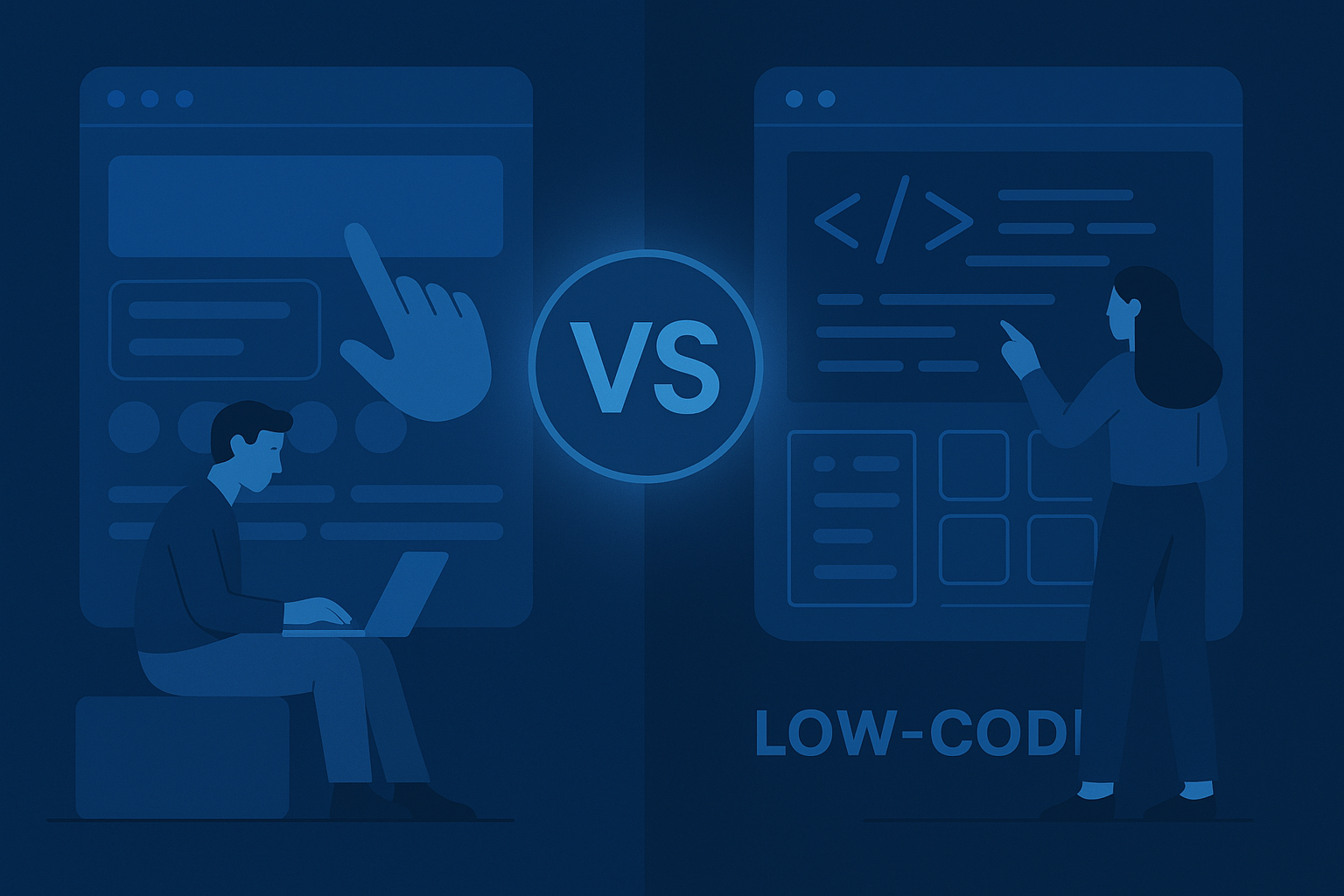
There’s a significant buzz around the terms “no-code” and “low-code” in the tech world. Both promise to simplify software development, but what’s the real difference? The truth is, while both aim to democratize app creation, they serve slightly different purposes. For those keen on automation, it’s crucial to grasp these distinctions. And if you’re considering diving into automation projects, platforms like Make.com will be particularly useful. For broader insights into software tools, check out Software Trail.
Understanding No-Code Platforms
No-code platforms are a dream come true for many non-technical users. Essentially, they allow individuals to create applications without writing a single line of code. How do they accomplish this? Through visual interfaces and drag-and-drop features. These platforms aim to empower users by making software development accessible to everyone.
One might wonder, what kind of applications can be built using no-code platforms? The possibilities are surprisingly vast. From simple websites to complex business applications, no-code tools can handle a wide range of tasks. For instance, platforms like Bubble enable users to create interactive web apps, while others, like Wix, focus on website building.
Despite their simplicity, no-code platforms aren’t just for amateurs. Even businesses are leveraging them for rapid prototyping and MVP (Minimum Viable Product) development. The speed at which one can go from concept to prototype with no-code is unmatched. It’s also worth noting that because no-code platforms handle all the backend complexities, users can focus solely on the design and functionality aspects.
However, like all tools, no-code platforms have limitations. They might not be suitable for projects requiring highly customized solutions or intricate backend processes. But for most straightforward applications, they’re more than sufficient. The allure of no-code lies in its ability to bridge the gap between non-developers and software creation.
Exploring Low-Code Platforms
Low-code platforms, while similar to their no-code counterparts, offer a different proposition. They are designed for users who have some coding knowledge but wish to expedite the development process. Essentially, low-code platforms provide pre-built components that developers can tweak and customize as needed. This flexibility is what makes low-code solutions appealing to many businesses.
One of the main advantages of low-code platforms is the balance they strike between simplicity and customization. Developers can quickly build applications using visual tools and pre-defined modules, yet still have the option to dive into the code when necessary. This dual capability is invaluable for projects that require both speed and precision.
Popular low-code platforms include OutSystems and Mendix. These platforms provide a complete suite of tools for application development, from UI design to backend integration. By leveraging these tools, businesses can significantly reduce the time-to-market for their applications.
However, low-code platforms do come with their challenges. For one, they often require a learning curve, especially for those unfamiliar with coding. Additionally, while they offer more customization than no-code platforms, they might still fall short for complex, enterprise-level applications. Despite these challenges, the agility and efficiency of low-code platforms make them a preferred choice for many development teams.
Key Differences Between No-Code and Low-Code
While both no-code and low-code platforms aim to simplify application development, they cater to different audiences and project needs. Let’s break down their primary differences:
Target Audience: No-code platforms are ideal for non-developers, while low-code platforms target those with some coding knowledge.
Customization: No-code offers limited customization, suitable for straightforward applications. Low-code, however, allows for deeper customization, making it apt for more complex projects.
Development Speed: No-code platforms enable rapid development through drag-and-drop features. Low-code platforms, although fast, might require some coding, which can slightly slow down the process.
Complexity Handling: No-code platforms are best for simple applications. Low-code platforms, with their ability to integrate custom code, can handle more complex requirements.
Learning Curve: No-code platforms have a minimal learning curve, making them accessible to everyone. Low-code platforms, however, might require some programming knowledge.
Use Cases: No-code is often used for prototyping, small business applications, and simple websites. Low-code is suitable for enterprise apps, complex business solutions, and integrated systems.
Cost: Pricing varies widely, but generally, no-code platforms might be more affordable due to their limited customization. Low-code platforms, offering greater flexibility, can be more expensive.
Integration: No-code platforms might struggle with complex integrations, whereas low-code platforms are often designed with integration in mind.
No-Code and Low-Code: Use Cases in the Real World
Both no-code and low-code platforms have found their niches in various industries. Let’s explore some real-world use cases to understand their impact better.
In the e-commerce sector, no-code platforms like Shopify have revolutionized how businesses launch online stores. With pre-designed templates and integrations, entrepreneurs can set up shop without any coding knowledge. Similarly, businesses use no-code tools for internal applications, such as inventory tracking and customer management systems.
Conversely, financial institutions are increasingly turning to low-code platforms to develop complex applications. These applications often require integration with legacy systems, something low-code platforms can handle thanks to their flexibility. By using low-code solutions, banks can quickly roll out new services to their customers while maintaining dependable security and compliance standards.
The healthcare industry also benefits from these platforms. Hospitals and clinics use no-code tools to manage patient data and appointments, while low-code platforms help develop complete healthcare management systems that integrate with various devices and software.
Ultimately, the choice between no-code and low-code often depends on the specific needs of a project and the technical expertise of the team involved.
The Role of Automation in No-Code and Low-Code Platforms
Automation is a critical aspect of both no-code and low-code platforms. These platforms automate much of the software development process, allowing users to focus on creativity and functionality rather than technical details.
No-code platforms automate various tasks, such as backend processes, database management, and even frontend design. For example, when building a website, users can select a template, customize it, and the platform handles the rest. This automation eliminates the need for manual coding and debugging, significantly speeding up development.
Low-code platforms, while offering automation, provide more flexibility in how it’s applied. Developers can automate repetitive tasks, integrate third-party services, and create complex workflows with minimal manual intervention. This automation reduces the time spent on mundane tasks, allowing developers to concentrate on more critical aspects of the application.
For teams interested in automating their workflow, platforms like Make.com can be invaluable. They streamline processes, ensuring projects are completed efficiently and effectively.

It’s fascinating how automation has evolved. No-code and low-code platforms are leading this charge, making development accessible to all.
Pros and Cons: Weighing No-Code and Low-Code
Both no-code and low-code platforms come with their advantages and disadvantages. Understanding these can help teams make informed decisions when choosing a platform.
No-Code Pros:
Ease of Use: Allows non-developers to create applications quickly.
Cost-Effective: Often more affordable due to limited customization.
Rapid Prototyping: Ideal for testing ideas without significant investment.
No-Code Cons:
Limited Customization: Not suitable for complex applications.
Scalability Issues: Some platforms may struggle with scaling.
Integration Challenges: Can be challenging to integrate with other systems.
Low-Code Pros:
Flexibility: Offers more customization options.
Faster Development: Speeds up the development process with pre-built modules.
Integration Capabilities: Better suited for integrating with existing systems.
Low-Code Cons:
Learning Curve: Requires some coding knowledge.
Higher Cost: Can be more expensive due to advanced features.
Complexity: Might be overkill for simple projects.
Choosing the Right Platform for Your Needs
Deciding between no-code and low-code platforms often comes down to the specific requirements of a project and the skill set of the team. Here are some guidelines to help make that decision:
If the team consists of non-developers or the project requires rapid prototyping, a no-code platform might be the best fit. These platforms are perfect for testing ideas, creating simple applications, or building websites without investing in technical resources.
Conversely, if the project demands a high level of customization, integration with existing systems, or is intended for enterprise-level deployment, a low-code platform would be more appropriate. These platforms offer the flexibility and tools needed to handle complex requirements efficiently.
It’s also essential to consider the long-term goals of the project. If scalability and future development are priorities, investing in a low-code platform might save time and resources down the line.
Consider the end goal before choosing a platform. The right choice can make all the difference in your project’s success.
Case Studies: Success Stories with No-Code and Low-Code
Numerous businesses have successfully implemented no-code and low-code platforms to achieve their goals. These case studies highlight the potential of these tools.
A startup in the e-commerce sector used a no-code platform to launch their online store in less than a week. With no prior technical knowledge, they managed to set up a fully functional store, complete with payment integrations and inventory management. This rapid deployment allowed them to test their business model quickly and efficiently.
On the other hand, a large financial institution opted for a low-code platform to develop a customer-facing application. The platform allowed them to integrate with legacy systems seamlessly while maintaining stringent security standards. The result was a dependable application that improved customer experience and reduced operational costs.
These stories demonstrate the versatility and effectiveness of no-code and low-code platforms across different industries and project scopes.
The Future of No-Code and Low-Code Development
The future of software development is undoubtedly intertwined with no-code and low-code platforms. As technology advances, these platforms will become even more powerful, offering users more features and capabilities.
One trend is the increasing integration of artificial intelligence into these platforms. AI can enhance automation, making the development process even more efficient. For instance, AI algorithms can suggest design improvements or optimize backend processes, reducing the need for human intervention.
Additionally, as more businesses embrace digital transformation, the demand for no-code and low-code platforms will continue to grow. These tools provide a cost-effective and efficient way to develop applications, making them an attractive option for businesses of all sizes.
For those interested in exploring more about AI and its impact on software development, AI Tool Trail offers extensive reviews and insights.
The synergy between AI and development platforms is bound to redefine how applications are built. It’s an exciting time for tech enthusiasts.
Comparison Table: No-Code vs Low-Code
| Feature | No-Code | Low-Code |
|---|---|---|
| Target Audience | Non-Developers | Developers with Some Coding Knowledge |
| Customization | Limited | High |
| Development Speed | Very Fast | Fast |
| Complexity Handling | Simple Applications | Complex Applications |
| Learning Curve | Minimal | Moderate |
| Use Cases | Prototyping, Small Business Apps | Enterprise Apps, Integrated Systems |
| Cost | Generally Lower | Varies, Often Higher |
| Integration | Challenging | Advanced |
Consider this table a quick reference guide when deciding between no-code and low-code platforms. It highlights the key differences succinctly.
The No-Code Content Stack: Where Pictory Sits in 2026
One category that’s often left out of no-code vs low-code debates is content automation — the workflow of turning written ideas into polished video, audio, or visual assets without writing a single line of code. That’s where Pictory earns its slot in the modern no-code stack.
Pictory’s text-to-video engine takes a blog post, news article, or sales script and produces a finished short-form video — captions, stock footage, AI voiceover, music — in under five minutes. For content creators, marketers, and small businesses building presence in 2026, that’s the same kind of leverage no-code app builders gave to internal tooling. Pictory’s free trial covers three projects, enough to validate the workflow before committing.
The combined stack pattern that works best: build the data and workflow layer in a no-code platform (Airtable, Notion, Glide), orchestrate the steps with Make.com, generate visual output with Pictory video, and capture inbound leads with Tidio AI Chatbot. None of those tools require code. The full stack runs at roughly £100-150/month — a fraction of what equivalent custom development would cost.
One More Use Case: Marketing Sites with B12
If your no-code build needs a polished marketing site sitting in front of it, B12’s AI website builder generates a complete site draft in under 60 seconds and integrates cleanly with no-code app backends via webhook. For service businesses building their first product, the B12 + no-code app pairing replaces what used to require a designer, developer, and content strategist working in parallel.
One Final Consideration: Vendor Lock-In Risk
Whichever path you choose — no-code, low-code, or full custom development — vendor lock-in is the variable most teams underestimate. No-code platforms own your data structures and workflows; switching costs grow exponentially as the build matures. The pragmatic 2026 approach: keep your data layer in a portable format (Airtable, Postgres, or a flat schema), use Make.com as the orchestration layer (also portable), and only let the no-code UI tool own the presentation layer. That way, when you outgrow the no-code platform or it pivots its pricing, you can migrate the UI without losing years of business logic baked into proprietary scripts.
Frequently Asked Questions
What is the main difference between no-code and low-code platforms?
No-code platforms are designed for non-developers, allowing them to create applications without any coding. Low-code platforms, on the other hand, cater to developers with some coding knowledge, offering more customization and flexibility.
Can no-code platforms handle complex applications?
No-code platforms are generally best suited for simple applications. They may struggle with complex applications that require extensive customization or integration with other systems.
Are low-code platforms suitable for enterprise-level applications?
Yes, low-code platforms are often used for enterprise-level applications due to their flexibility and integration capabilities. They allow developers to create complex solutions while maintaining control over the code.
Do no-code platforms require any programming knowledge?
No, no-code platforms are designed to be user-friendly and do not require any programming knowledge. They use visual interfaces and drag-and-drop features to simplify the development process.
What are some popular no-code platforms?
Some popular no-code platforms include Bubble, Wix, and Shopify. These platforms offer a range of features to help users create websites, web apps, and online stores without coding.
How do low-code platforms improve development speed?
Low-code platforms provide pre-built modules and visual tools that streamline the development process. Developers can quickly assemble applications using these components, reducing the time spent on manual coding.
Are there any cost differences between no-code and low-code platforms?
Generally, no-code platforms are more affordable due to their limited customization options. Low-code platforms, offering greater flexibility and features, can be more expensive.
P.S. Want my complete list of tested tools? Grab my free ebook here.
Test everything. Trust nothing. — Alex
Explore More from Trail Media Network
creatortrail.com
freelancerstrail.com
edtechtrail.com
sidehustletrail.com

Hey, I’m Alex — an AI-obsessed reviewer who tests every tool so you don’t have to. Test everything. Trust nothing.
Leave a Reply